Today, we’re highlighting two major updates now available across the Ocean Platform: Autofill Templates and Bilingual Support. Each was shaped through thoughtful planning, testing, and valuable feedback from both providers and our provincial partners with whom we’re very grateful for.
Autofill Templates: Save time, standardize workflows, and boost consistency
Autofill Templates are now available to all Ocean users, particularly those using the Ocean Provider Network for eRequests like eReferrals, eSubmissions, and eOrders.
Autofill upgrades your eRequest workflow by allowing you to save frequently-completed request forms as templates that you can apply with just one click. By automatically populating fields, you can save an incredible amount of time.
If you routinely send referrals or submissions for the same conditions, programs, or diagnostic services, Autofill eliminates the need to re-enter the same information each time. Once you apply a template, your saved responses instantly populate throughout the request form, with the ability to make quick adjustments before sending.
You can create templates for any listing currently accepting eRequests in the Ocean Healthmap, with the option of keeping them private for personal use or shared across your Ocean Site for other team members to use.
If a receiving site updates their form, Ocean will notify you so you can revise your template and prevent delays or incomplete information.
How to get started:
Here’s how you can enable Autofill Templates for your Ocean user account:
- Log in to the Ocean Portal and click your name in the top-right corner.
- Select My Account.
- Set Autofill Templates to Enabled.
- Click Save Changes, and you’re all set!
This can also be enabled from the Ocean Healthmap. If you want to a more in-depth, video walkthrough about how to use Autofill Templates, check out our course in Ocean Academy!
Bilingual Support: A more inclusive, provider-friendly Ocean experience
Last month, we announced expanded bilingual support for patients using Ocean’s digital forms and workflows. Today, we’re excited to extend these improvements to our provider-facing experience.
Thanks to extensive input from provincial partners, we’re now delivering a more complete bilingual ecosystem within Ocean, one that meets the needs of clinicians working in bilingual environments and simplifies cross-team collaboration across Canada.
Seamlessly work in English or French
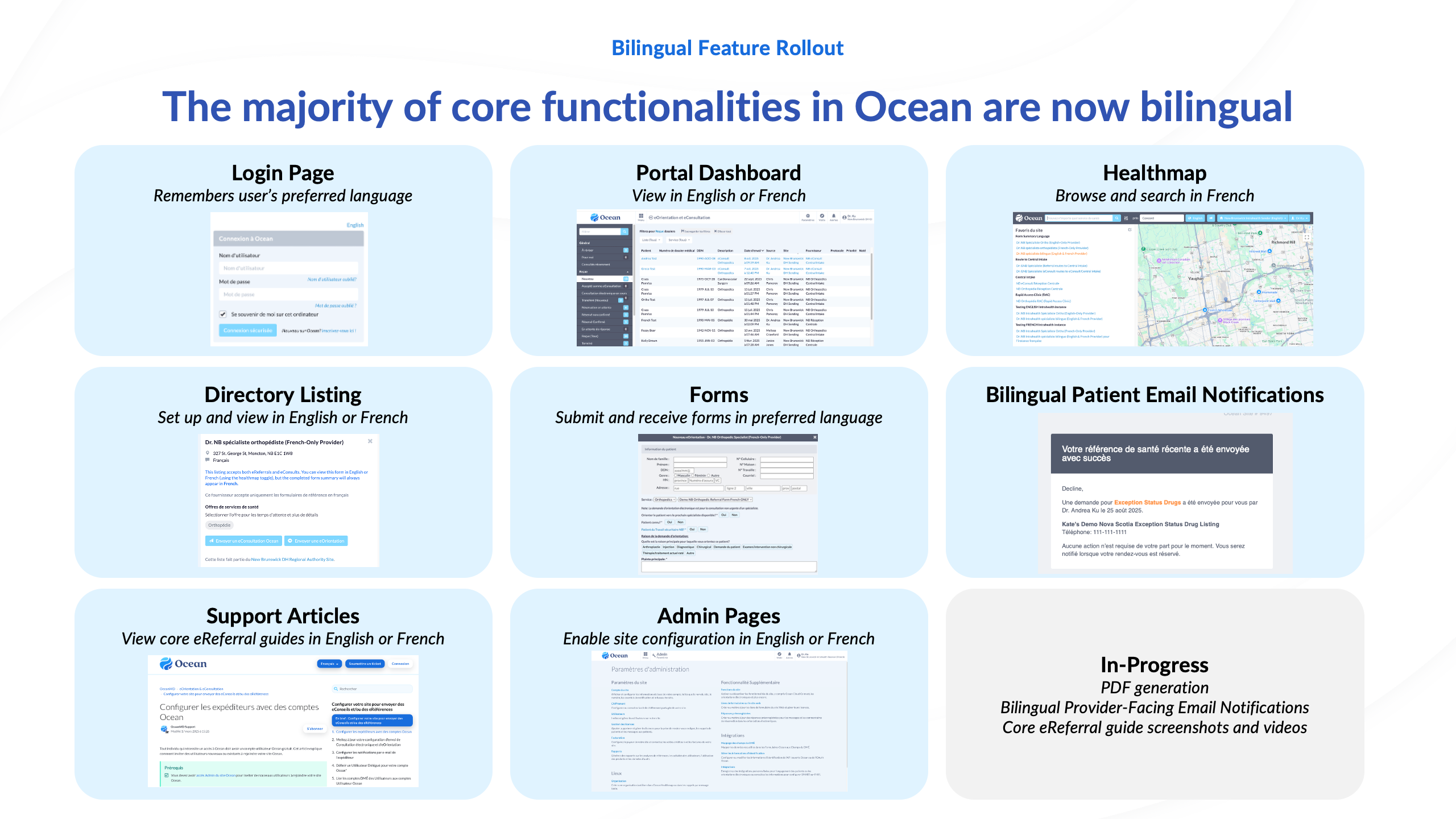
Many core functionalities in Ocean are now bilingual, including:
- Login Page – remembers each user’s preferred language
- Portal Dashboard – view and navigate in English or French
- Healthmap – browse and search in French
- Directory Listings – configure and view listings bilingually
- Forms – submit and receive forms in the preferred language
- Bilingual Patient Email Notifications
- Support Articles – view core eReferral guides in both languages
- Admin Pages – configure site settings in English or French
Additional enhancements are in progress, including richer PDF record generation and bilingual provider-facing email notifications.
This brings the bilingual experience beyond surface-level translation, ensuring critical workflows remain seamless regardless of language choice.
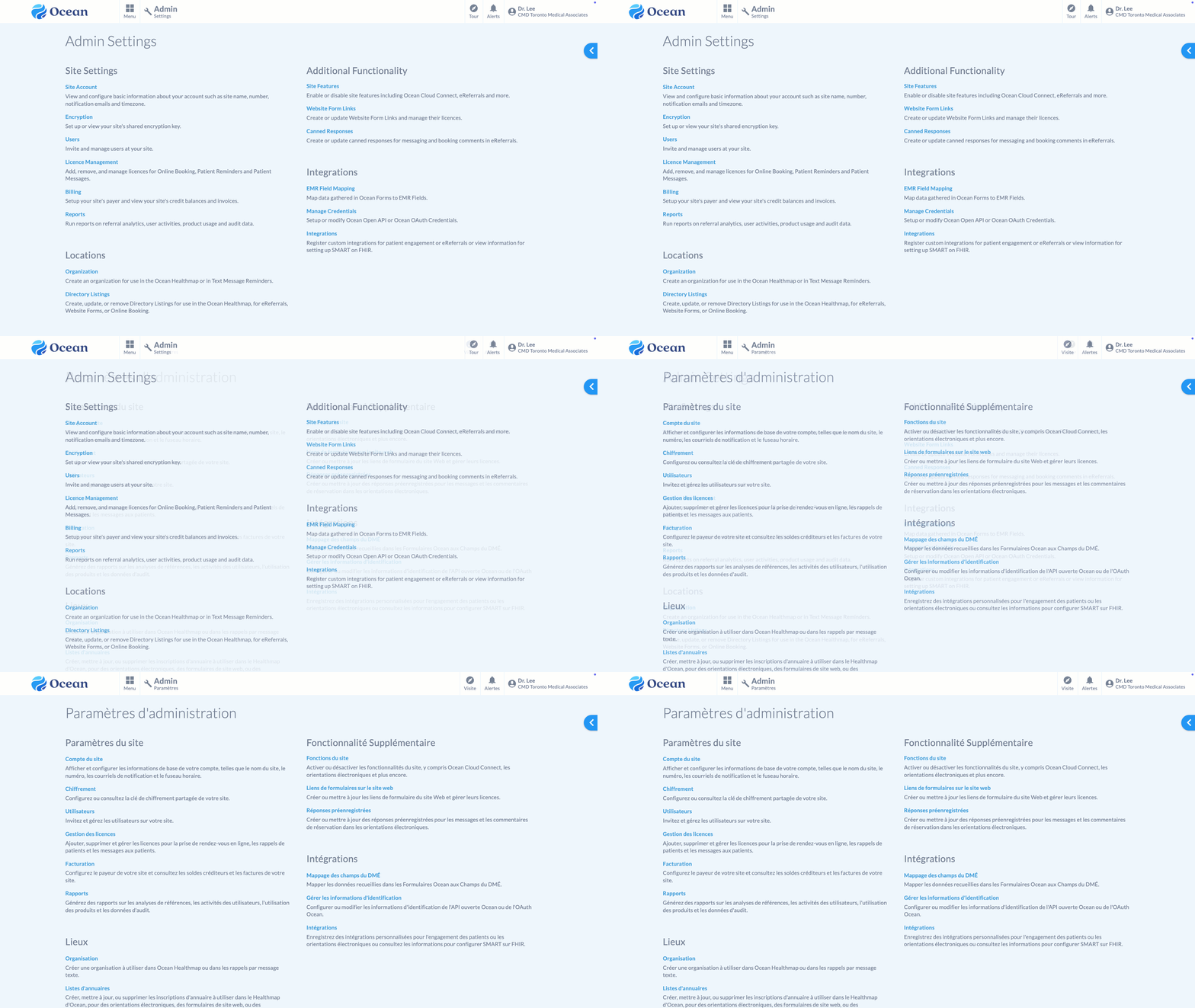
Bilingual experience in the Ocean Portal
Built in collaboration with provincial leaders
Both Autofill Templates and Bilingual Support were shaped through the input, feedback, and partnership of provincial teams who are deeply invested in improving access, standardization, and digital equity across Canada.
We’re grateful for their collaboration and excited to continue building solutions that support providers, streamline clinical workflows, and enhance the patient experience from coast to coast.