Autofill Templates: Save time, standardize workflows, and boost consistency
For many healthcare providers, order sets save them time and reduce variation among different tasks.
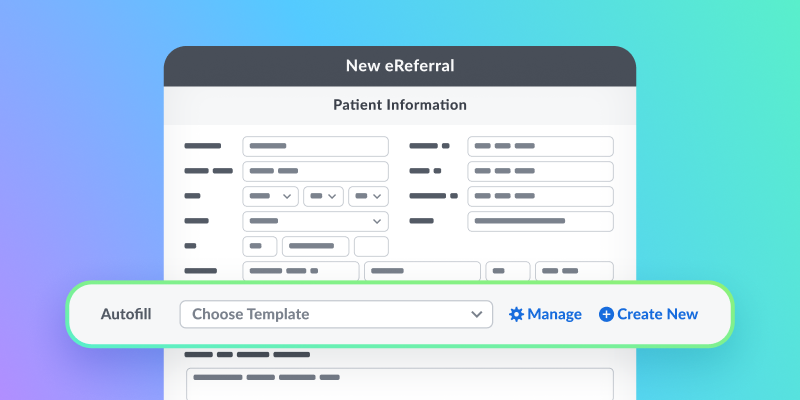
With this same goal in mind, we’re excited to introduce Autofill Templates to Ocean! This new enhancement brings the structure and efficiency of clinical order sets to Ocean by saving your most frequently-used request details as reusable templates. With Autofill, you’ll be able to send eRequests like eReferrals and eConsults faster, with more consistency and fewer errors.
If you routinely send referrals or submissions for the same conditions, programs, or diagnostic services, Autofill eliminates the need to re-enter the same information each time. Once you apply a template, your saved responses instantly populate throughout the request form, with the ability to make quick adjustments before sending.
You can create templates for any listing currently accepting eRequests in the Ocean Healthmap, with the option of keeping them private for personal use or shared across your Ocean Site for other team members to use.
If a receiving site updates their form, Ocean will notify you so you can revise your template and prevent delays or incomplete information.
How to get started:
Here’s how you can enable Autofill Templates for your Ocean user account:
- Log in to the Ocean Portal and click your name in the top-right corner.
- Select My Account.
- Set Autofill Templates to Enabled.
- Click Save Changes, and you’re all set!
This can also be enabled from the Ocean Healthmap. If you want to a more in-depth, video walkthrough about how to use Autofill Templates, check out our course in Ocean Academy!