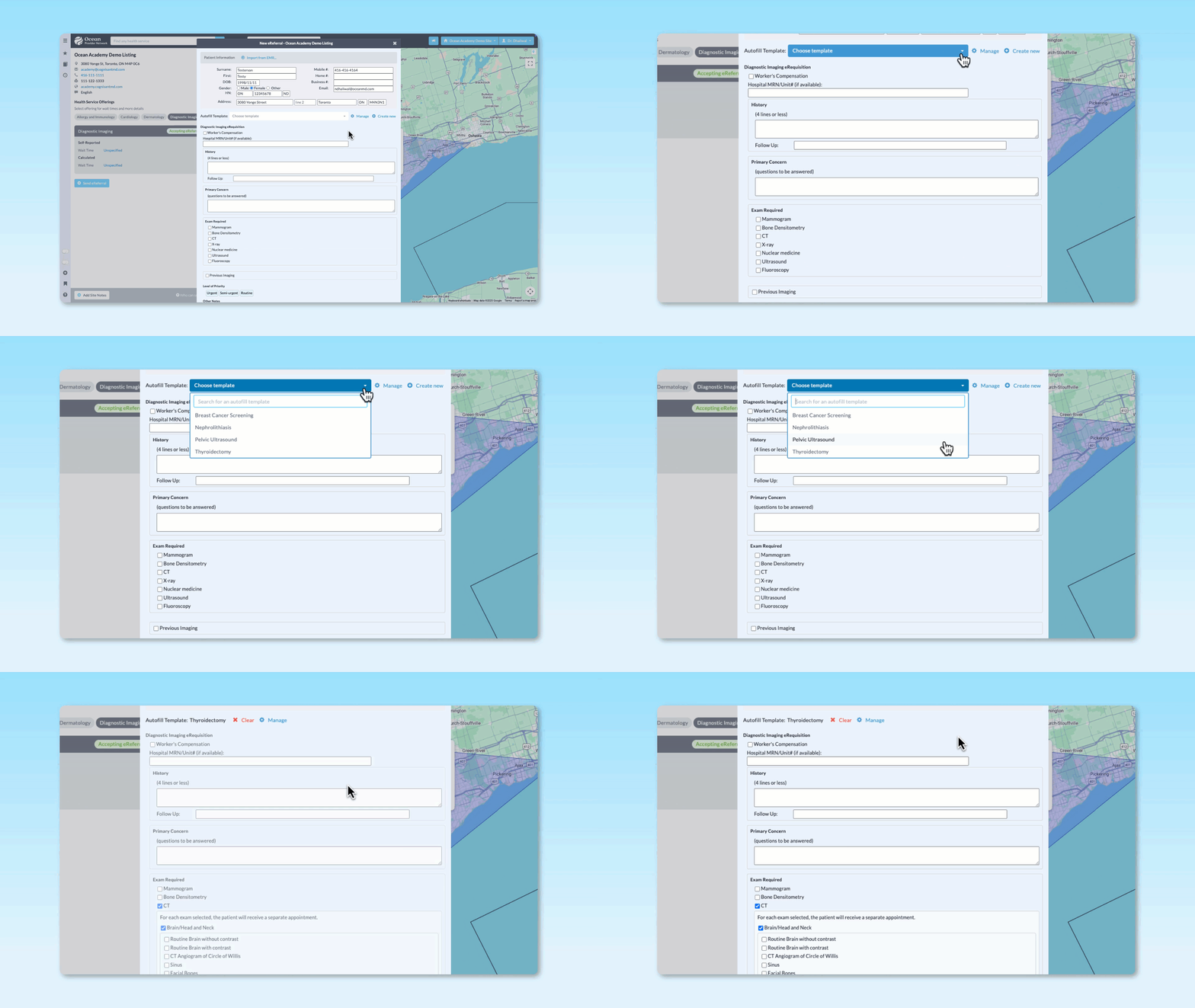
If you’re a specialist or a clinic that regularly sends the same referrals, orders, or diagnostic imaging requests, you already know the frustration: same condition, same workup, same information — entered from scratch, every single time. Autofill Templates in Ocean were built to fix exactly that. And now that clinics have had a chance to use them, the results speak for themselves.
The numbers don’t lie
In a recent evaluation of Ocean’s Autofill Templates feature, the impact was clear:
86% of users said they always or often used Autofill Templates once enabled
72% reported improved workflow efficiency
13 - 16 clicks saved per submission on high-impact templates
In addition, templates are shared across multiple users at a single site, meaning one person can create templates to support their entire team. For a busy specialist seeing dozens of patients a week, these savings add up fast!
Built for real clinical workflows
Clinicians who benefit most from Autofill Templates are those who request services often: ordering the same diagnostic imaging for the same indications, sending the same type of referral for a recurring condition, or submitting the same program request week after week.
One specialist put it best:
"Autofill templates have been a tremendous time saver. As a specialist, I order the same diagnostic imaging studies for the same indications over and over again."
– Specialist
No complicated IT setup required
Autofill Templates are available to all Ocean users right now with no site-level configuration required. You can enable them in minutes directly from your Ocean Portal account settings or from the Ocean Healthmap. Templates can be kept private for your own use, or shared across your Ocean Site so the whole clinic benefits. And if a receiving site ever updates their eForm, Ocean will notify you so your template stays accurate and submissions go through without delays.
Already using an integrated EMR? No problem. When you apply an Autofill Template alongside EMR-populated data, the two work together seamlessly — your template fills in what it knows, and your EMR fills in the rest.
How to get started:
Here’s how you can enable Autofill Templates for your Ocean user account:
- Log in to the Ocean Portal and click your name in the top-right corner.
- Select My Account.
- Set Autofill Templates to Enabled.
- Click Save Changes, and you’re all set!
This can also be enabled from the Ocean Healthmap. If you want to a more in-depth, video walkthrough about how to use Autofill Templates, check out our course in Ocean Academy!