Welcome to the next edition of our “Great Question!” series. This time, we’re highlighting a few real conversations that real Ocean users had with ECKO, our AI knowledge assistant.
You can describe what’s happening, explain what you want to achieve, and ask follow-up questions as you go. You don’t need to know which setting or feature to ask about before you begin.
ECKO draws on our Support Portal, website, and knowledge from past support tickets to help you find detailed answers quickly. You can ask about getting started with Ocean, improving an existing workflow, or making a form easier for patients to use. We’ve pulled together four examples to give you some ideas for your next chat.
Question: Why are patients showing up for phone appointments?
When patients accidentally arrive in person for a phone appointment, it can create confusion and frustration for everyone, especially the patient! One clinic asked ECKO how to make their reminders clearer to prevent this scenario.
ECKO explained the difference between the standard SMS reminder and the email template where the clinic could add detailed instructions. It then suggested separate reminder rules for phone and in-office appointments and offered sample wording telling patients to expect a call.
Something to try: Describe a point where patients get confused in your current workflow, then ask ECKO what you could review or change.
Question: Can my eForm show patients different messages based on their answers?
Sometimes, the next thing a patient should see depends on what information they’ve just provided.
One user wanted their eForm to display one message if any of three answers were “Yes,” and another if all three were “No.” ECKO helped them work through the hide/show conditions and how to best share messages using the different question-types available in the Ocean Form Builder.
That follow-up is part of the value: you can keep asking as you refine the form, including when something doesn’t look or behave as expected.
Something to try: Explain what you want patients to see at a particular point in a form, then ask how to set it up.
Question: Can I use Ocean to collect information before a consultation?
A new clinic considering Ocean had a specific goal: have patients complete a form before their consultation. They wanted to understand how Ocean could fit into that process.
ECKO explained the workflow for emailing an Ocean eForm. When the clinic asked whether patients would need an account, ECKO explained that Ocean doesn’t require patients to have one: they just open a secure link in their email and complete the form in their browser.
The conversation then moved into licence options and getting started, helping the clinic explore what adopting that workflow would involve.
Just goes to show that ECKO isn’t just for existing Ocean users, it can also handle any questions you have before even getting started!
Something to try: Start with one task you’d like to handle differently. Include your EMR and ask what the workflow would look like.
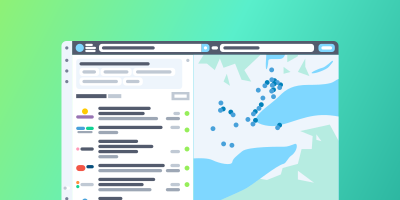
Question: How can I make it clearer what our clinic offers on the Ocean Healthmap?
A new eReferral receiver noticed that other providers’ Healthmap listings included more detailed service information. They wanted to give referrers a clearer picture of their own practice.
ECKO helped them find the relevant directory settings and explained how service categories, offering names, and descriptions contribute to the listing.
For someone setting up or refreshing a listing, ECKO can provide a concrete place to start.
Something to try: Ocean has tons of areas that can be customized, including directory listings, appointment reminder templates, and online booking landing pages. Ask ECKO how you can improve and what details you can include.
Have something you’d like to do with Ocean? Try asking ECKO. Include your EMR and what you’re hoping to achieve, and ask for more detail or a simpler explanation as you go. As always, our support team is available if you need the extra human touch!