
1. Confirm provider schedules and holiday closures in advance
Before the busiest weeks begin, take a moment to review your online booking settings to make sure schedules reflect your team’s availability. Provider vacations, modified hours, and statutory holidays should be updated in your EMR and carried through to your Ocean booking configurations. This helps prevent accidental openings and gives patients an accurate view of when care is available.
Clinics that offer same-day or first-available appointments should also confirm that these options are paused or adjusted during closures, so they don’t unintentionally open up while staff are away.
2. Communicate early and set the right expectations
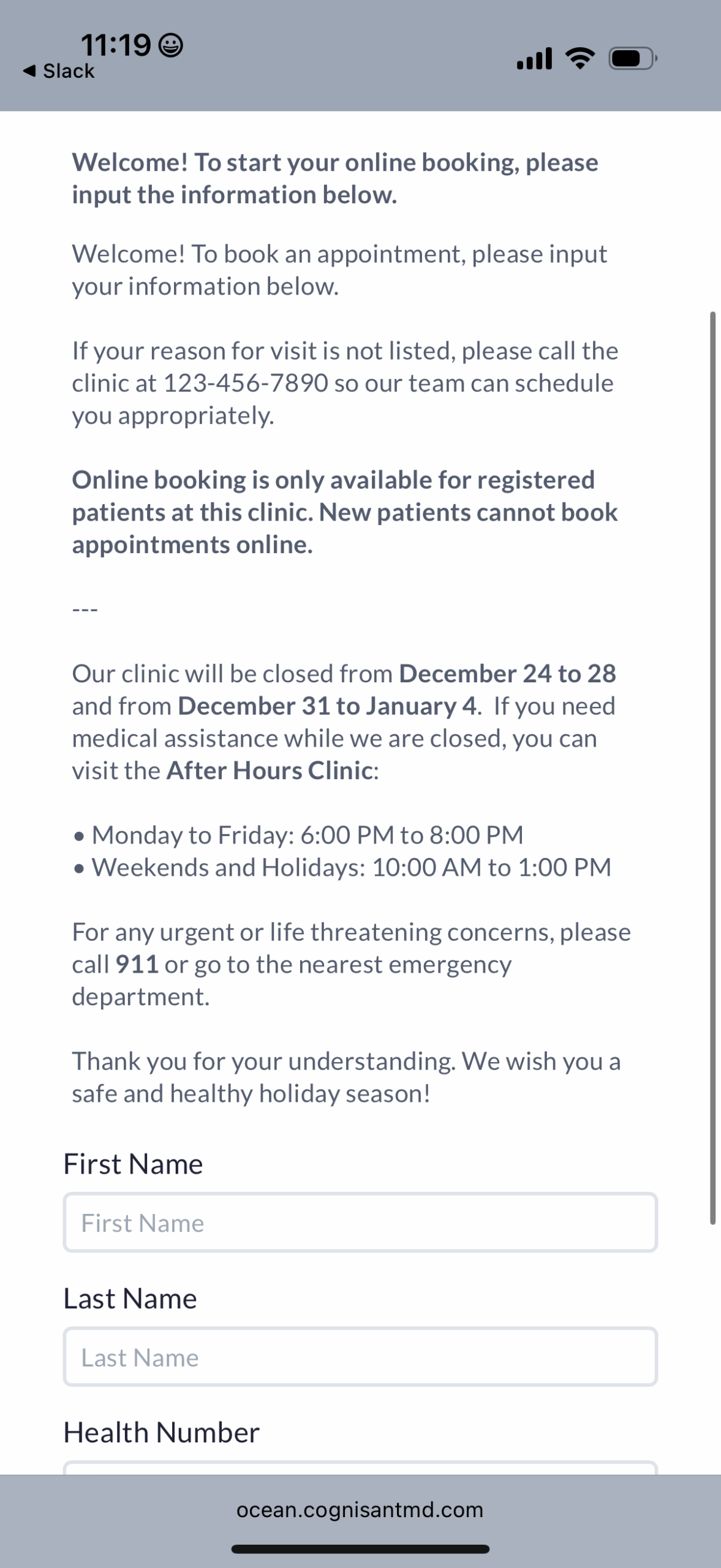
Clear, early communication goes a long way during the holidays. Updating your Patient Messages and Reminder templates is a simple step that can reduce call volume and help patients plan ahead. You can include details about holiday hours, closure dates, and instructions on what patients can do if they need help during that time. This might include nearby urgent care options, after hours resources in your community or guidelines for renewing prescriptions and requesting labs.
Consistency matters, so it helps to revisit all communication channels at once. This includes your clinic website, any posted in-office signage, your online booking landing page, voicemail recordings, and Google Business hours. When everything tells the same story, patients know what to expect and your staff spends less time repeating the same information.
3. Support seasonal triage with kiosks and tablets
Many clinics see rising volumes related to respiratory illnesses, flu, gastroenteritis, and other seasonal concerns during the holiday season. Your check in-kiosks and patient tablets can be updated with timely prompts to help staff quickly identify symptoms, direct patients appropriately and manage waiting room flow. These devices can also remind patients to complete any missed or required forms while they wait, which helps maintain efficiency during a high-volume period.
Women’s College Hospital took this a step further by using Ocean Kiosks to support an automated infection control workflow. Patients were screened for symptoms at check-in and received on-screen instructions based on their responses, which helped staff identify who may need masks, isolation or additional support. Clinics interested in this type of workflow can read more about how WCH designed their approach in our original blog post.
Preparing for the holidays doesn’t have to be complicated. Small, intentional updates to your schedules, communications, and digital tools can have a meaningful impact on the patient experience and your team’s workflow. With Ocean, you can make these adjustments quickly so your clinic can stay organized throughout the season. If you would like help reviewing your setup or optimizing your patient journey, feel free to reach out to our client success team.
Happy Holidays from the OceanMD team!